The Component Module (ROOT) is the foundational layer of the HedraCAM platform, providing unified interaction interface, kinematics engine, resource management, and simulation debugging environment for all advanced modules. Whether using offline programming, simulation analysis, or process optimization, all capabilities stem from ROOT's four deeply integrated components.
-
Intuitive 3D Knob Interaction
Innovative right-click 3D knob integrates rotation, pan, and property inspection with fluid animation response, supporting hotkey binding and deep parameter panel integration.
-
Smart UI Logic
Proprietary coordinate perspective ball linkage with same-domain dynamic switching, maximizing interface simplicity.
-
Personalized Themes
Built-in industrial-grade themes with 2D transparency control for a fully customized visual experience.
-
Full i18n Support
Seamless switching between Chinese, English, Japanese, and Korean with real-time interface text localization.
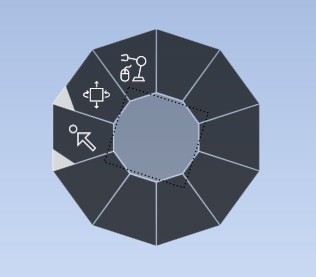
3D Knob Control
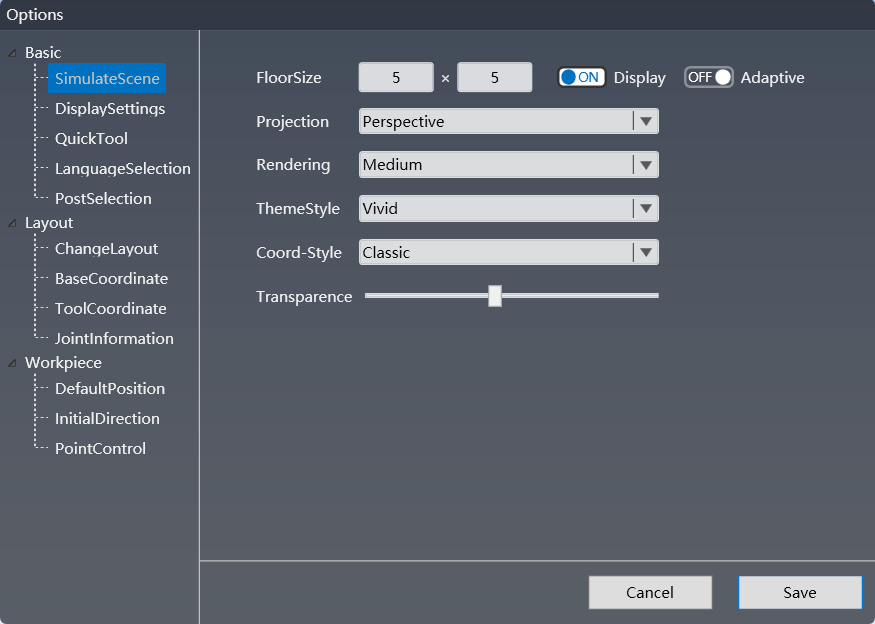
UI Options Panel
3D Knob
Perspective Ball
Hotkeys
i18n
Theming
-
Multi-Format CAD Support
One-click import of STEP / IGES / Parasolid / ACIS formats — no intermediate conversion steps required.
-
Geometry Smart Repair
Automatic detection and one-click repair of seam gaps, self-intersections, and degenerate surfaces for topological integrity.
-
Assembly Hierarchy Preservation
Full retention of assembly hierarchy with part-level positioning and attribute inheritance — zero data loss.
-
High-Precision Kinematics Solver
Multi-brand robot kinematics modeling with accurate trajectory planning and singularity avoidance.
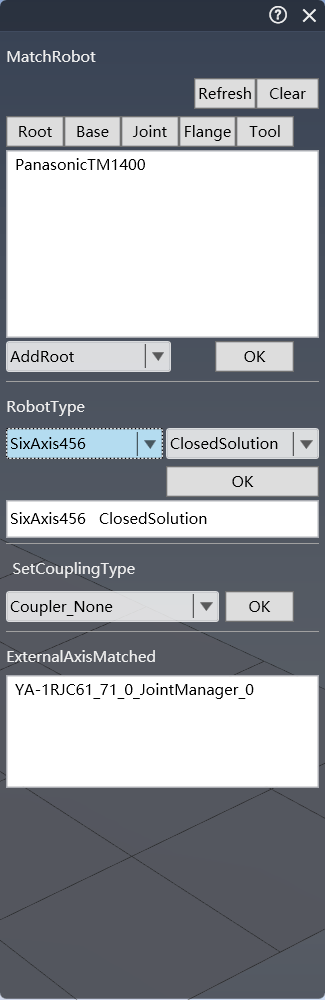
MatchRobot Parameters
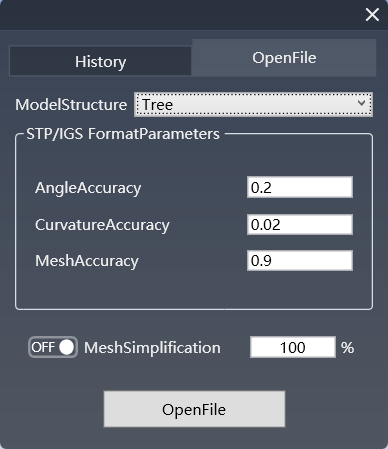
STP / IGS Import
STEP
IGES
Geometry Repair
Assembly Hierarchy
Kinematics Solver
-
Robot Model Library
Built-in multi-brand, multi-model robot 3D library covering welding, handling, spraying, and other mainstream application scenarios.
-
Workpiece & Tooling Library
Rich standard workpiece and tooling models with support for user-defined import and category management.
-
Model Tree Structure
Clear hierarchical tree management with drag-drop sorting and parameter search at a glance.
-
Material & Rendering Resources
PBR material library with fine control over metallic, roughness, and normal parameters. What you see is what you get.
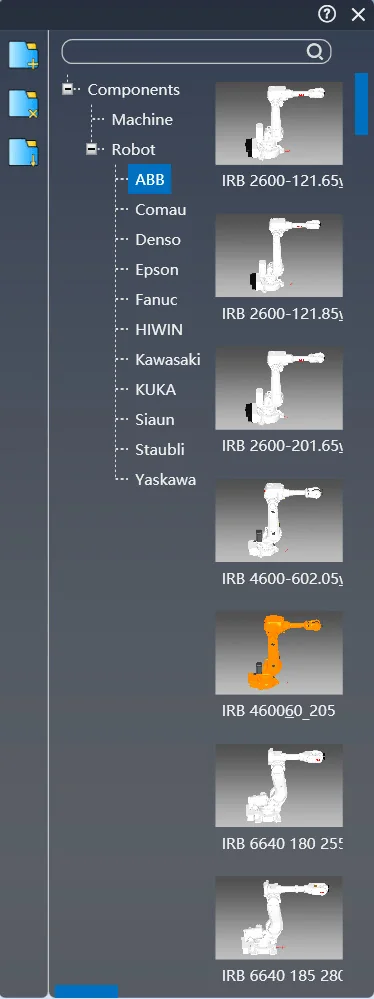
Robot Model Library
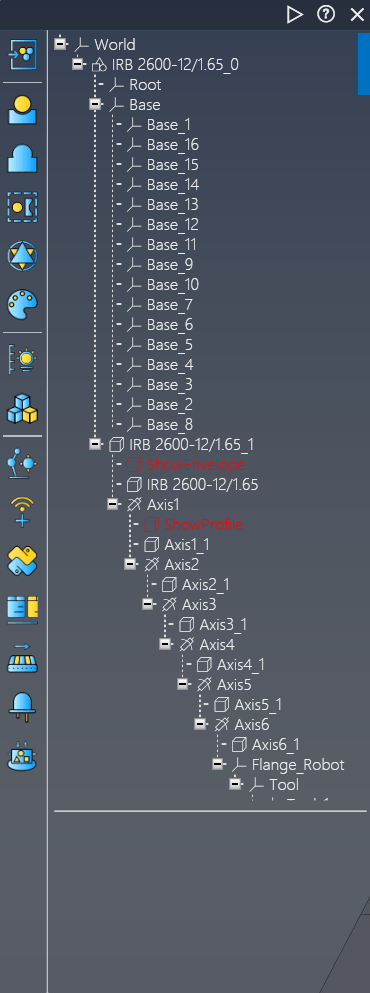
Model Tree Structure
Model Library
Model Tree
Category Management
PBR Materials
-
Robot Teaching Panel
Professional teaching interface supporting point teaching, posture adjustment, and micro trajectory editing with real-time parameter feedback.
-
Real-Time Simulation Debug
Breakpoint setting, variable monitoring, and single-step trajectory execution with full simulation transparency and control.
-
Collision Detection & Avoidance
Real-time detection of collision risks between robot, workpiece, and environment with intelligent path avoidance planning.
-
Trajectory Visualization
Multi-dimensional visualization of TCP trajectories, axis motion, and speed curves for significantly improved debugging efficiency.
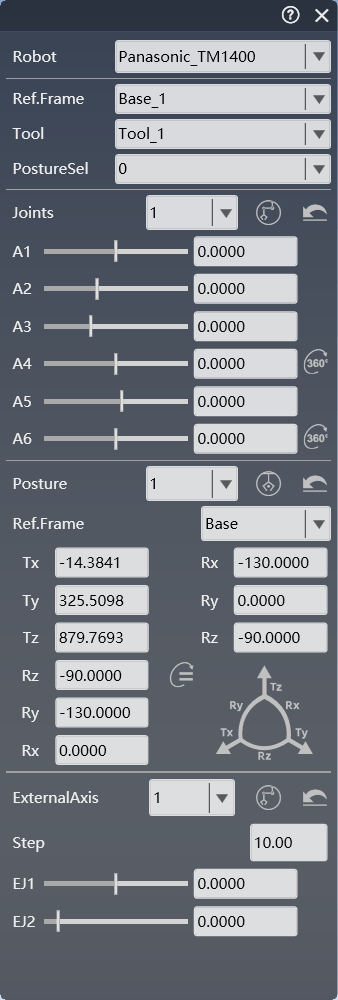
Teaching Panel
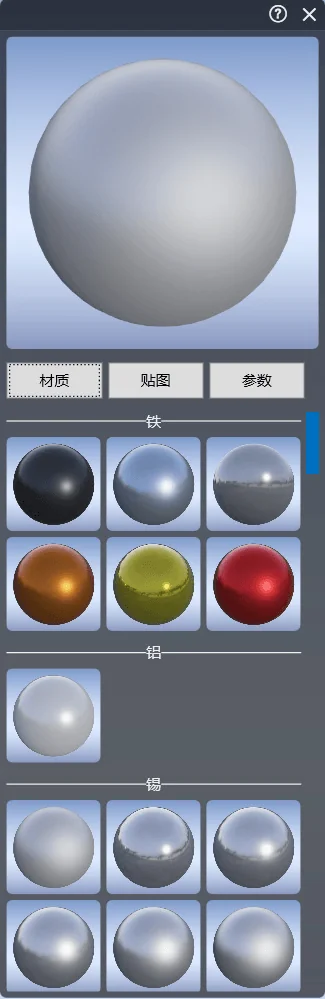
PBR Material Library
Teaching Panel
Simulation Debug
Collision Detection
Trajectory Visualization
PBR Materials